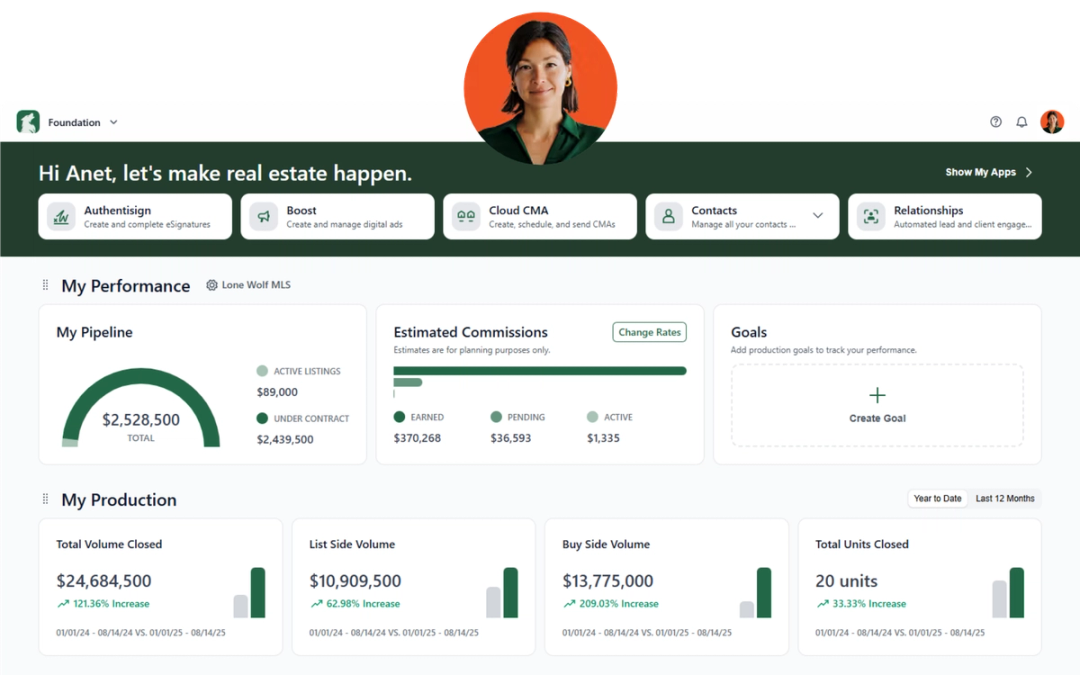
Each month, we’re rolling out software updates designed to make your day smoother—whether you’re nurturing leads, managing transactions, or running your business. Here’s everything new from Lone Wolf for January.
Back Office
With year-end tax season approaching, we’ve updated our solution to help you handle your business taxes more efficiently. These updates include refreshed and accurate tax forms for the current year.
Why It Matters:
Accurate tax forms and streamlined year-end processes reduce errors and save time, helping your business stay compliant and make tax season less stressful.
See release notes for new Back Office
See release notes for Back Office Classic
Boost
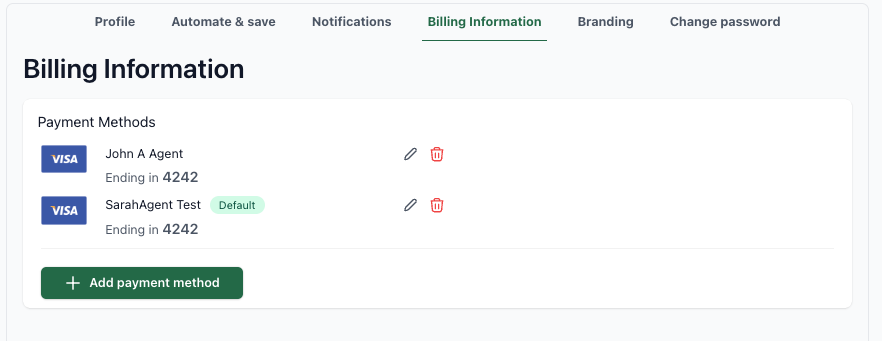
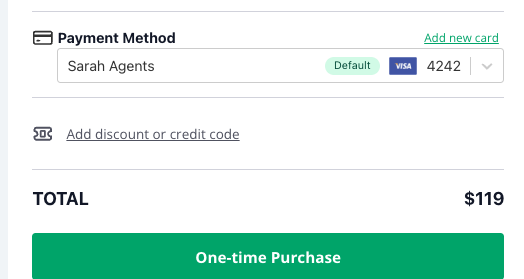
Manage multiple credit cards
Boost now supports managing multiple credit cards. Agents and admins can add several cards, assign nicknames, and easily select which one to use when making ad purchases.
Why It Matters:
This update simplifies ad management and payment tracking, giving teams more flexibility and reducing the risk of errors when handling multiple payment methods.
See release notes for Boost
BrokerMetrics
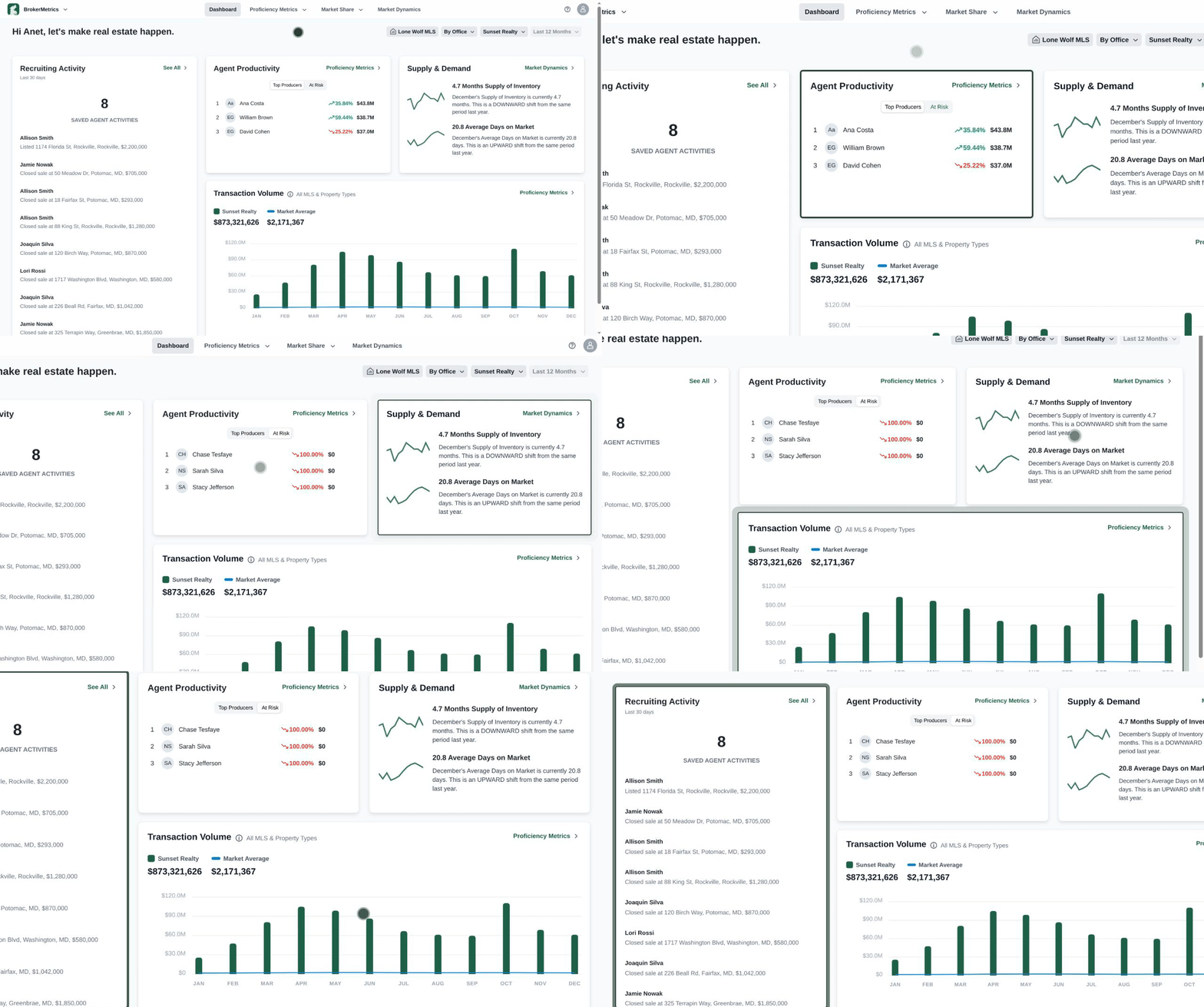
BrokerMetrics dashboard
The new BrokerMetrics dashboard offers a unified, intelligent workspace for real estate professionals. It consolidates performance data, market conditions, and agent activity into a clear, easy-to-navigate view, helping brokers, managers, and team leaders stay informed.
Why It Matters:
By turning scattered data into focused insights, the dashboard enables faster, more confident decision-making, improves team oversight, and highlights opportunities to optimize performance.
See release notes for BrokerMetrics
Cloud CMA
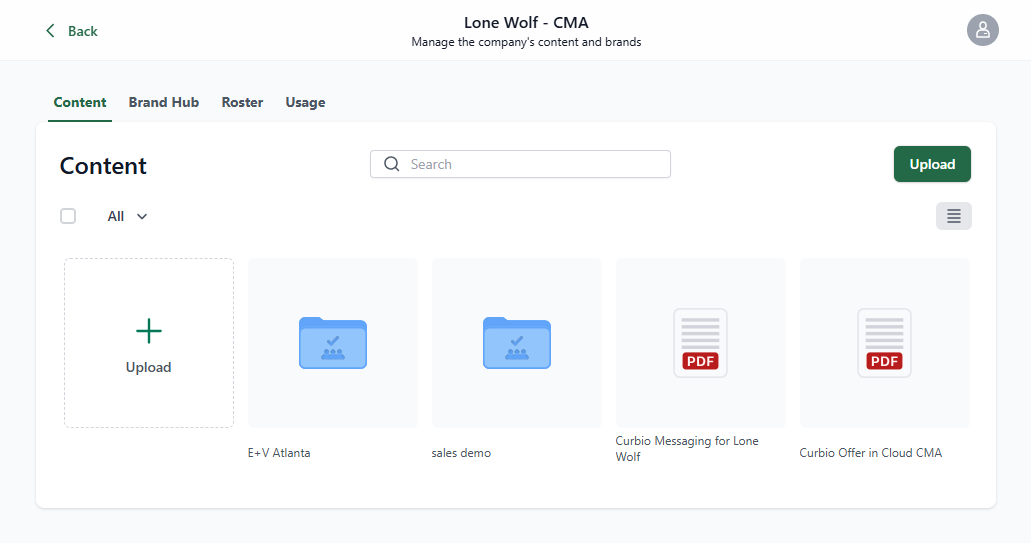
NEW: Brokerage admin tools
Cloud CMA now offers an enhanced experience for brokerage admin tools. This includes hierarchical roles, centralized branding and content management, and improved user management—making administration faster and more scalable across brokerages and enterprise hierarchies.
Why It Matters:
Centralized control reduces manual setup and errors, ensures consistent branding across reports and homebeats, and strengthens governance with role-based permissions. Agents appear more professional, clients gain confidence, and admins save time while maintaining accuracy.
See release notes for Cloud CMA
Front Office
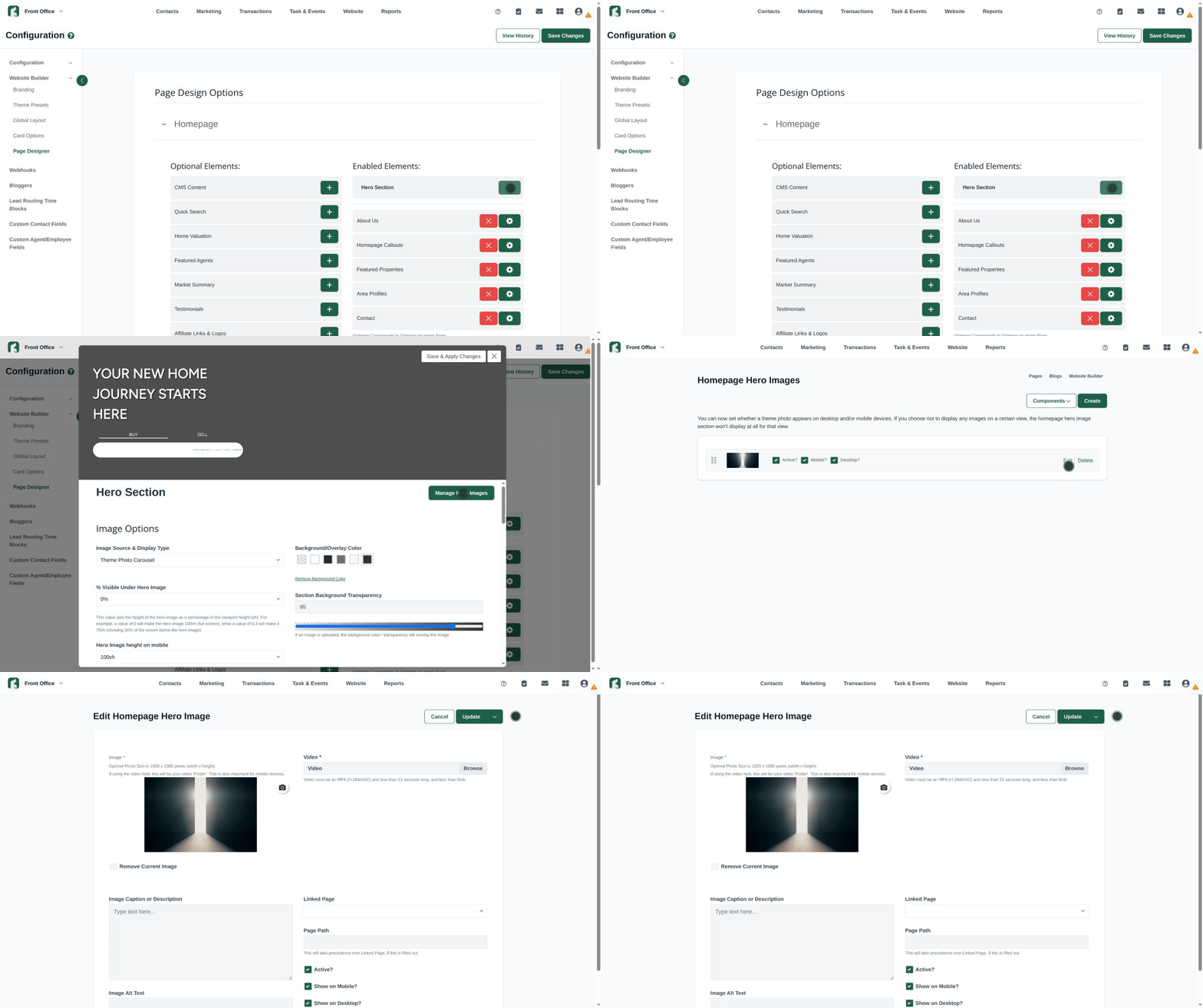
Users can now assign different hero images and videos for desktop and mobile versions of their website. This allows brands to present optimized visuals and content tailored to each screen size. Hero images and videos can be updated in Website > Components > Homepage Hero.
Why It Matters:
Device-specific hero content ensures a polished, on-brand experience across desktop and mobile. Optimized visuals improve first impressions, enhance engagement, and help websites look professional and intentional on every device.
See Create a homepage hero image (Front Office) for more information.
Foundation
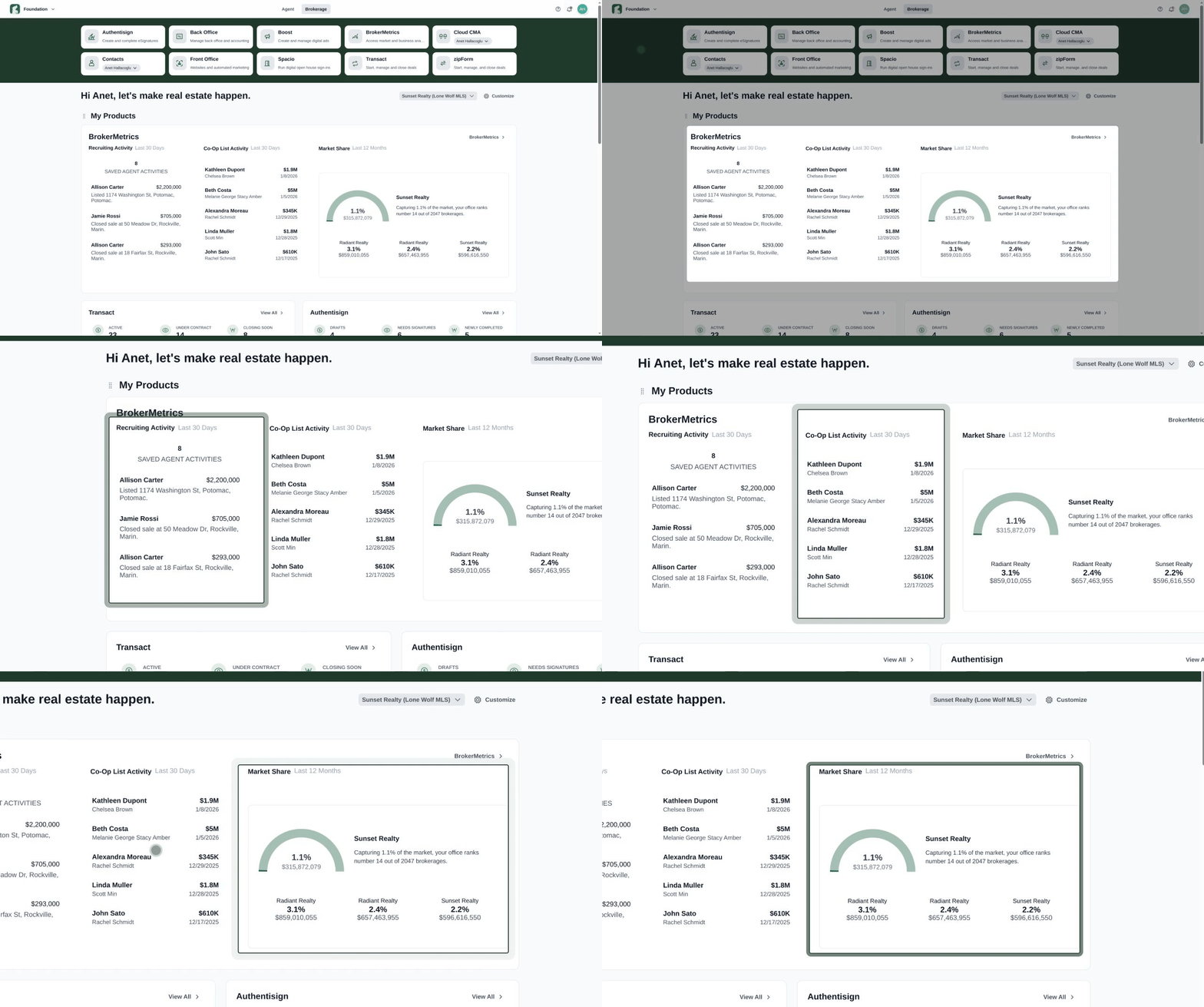
NEW: BrokerMetrics product widget
We’ve launched the BrokerMetrics product widget, giving brokers an at-a-glance view of office-level performance across three key areas: Recruiting Activity, Co-Op List Activity, and Market Share. Powered by MLS and office data, the widget highlights recent agent movements, cross-office deals, and the brokerage’s overall market position.
Why It Matters:
With insights into office momentum, agent activity, and market competitiveness, brokers can make data-driven decisions quickly, identify growth opportunities, and stay ahead in a dynamic market.
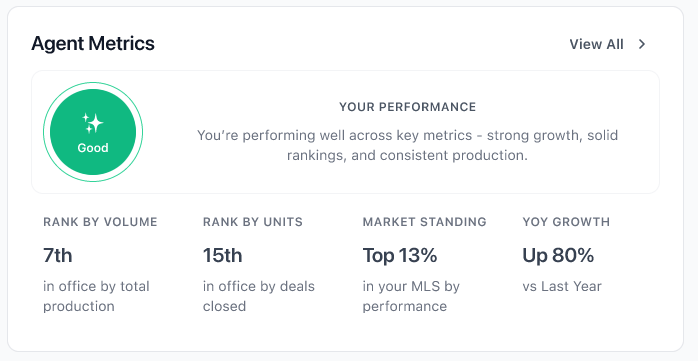
NEW: AgentMetrics product widget
The new AgentMetrics widget gives agents a quick, data-driven snapshot of their performance using integrated office and MLS data. It highlights key metrics—rank by volume, rank by units, market standing, and year-over-year growth—and automatically assigns a performance badge (Excellent, Good, Average, or Below Average) based on MLS percentile rankings.
Why It Matters:
Agents can instantly see how they’re performing relative to peers, track growth over time, and identify areas for improvement. This visibility empowers smarter goal-setting and supports stronger, data-informed decision-making.
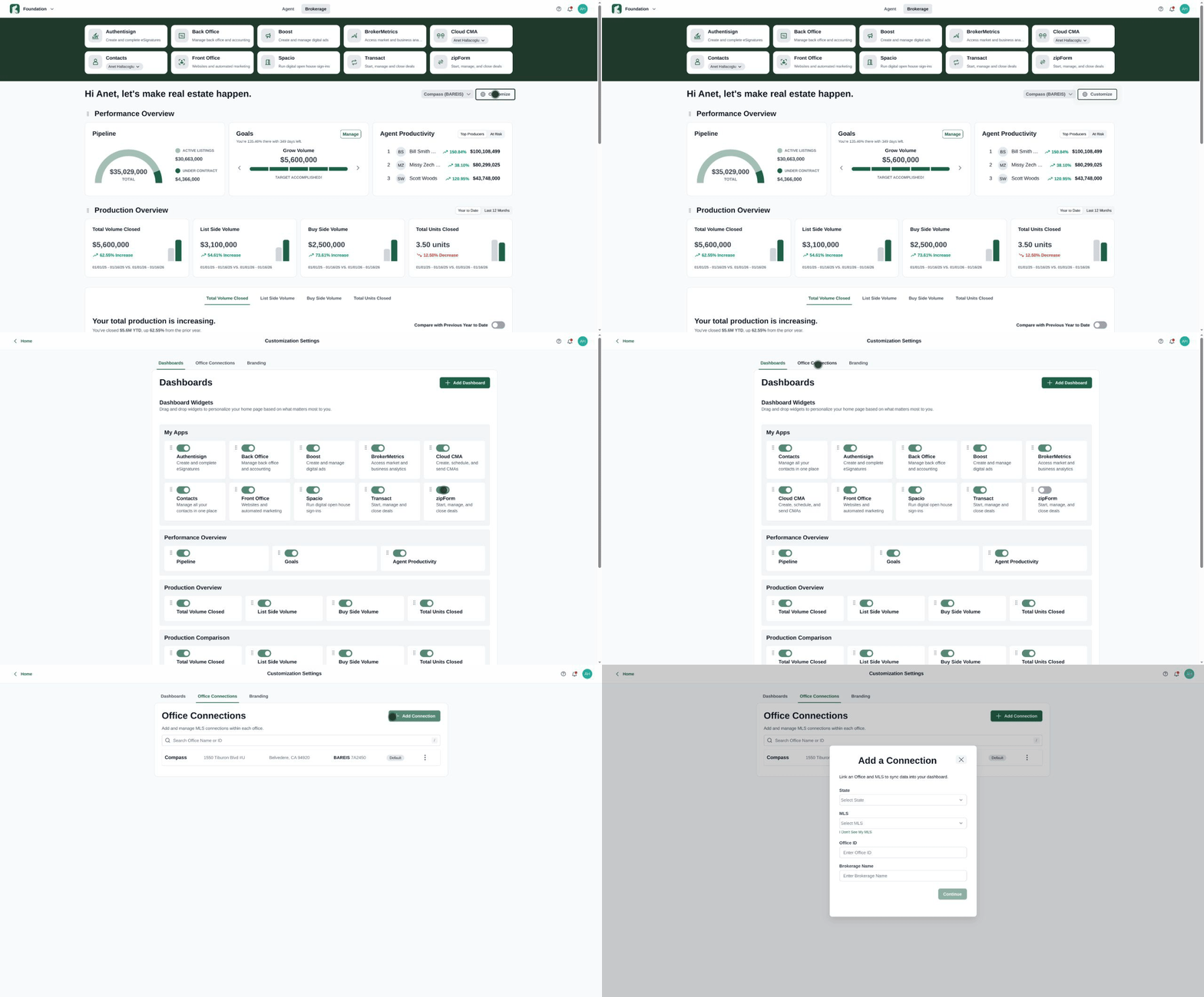
Dashboard customization enhancements
Widget Customization: You can now control the order and visibility of widgets in each dashboard section, tailoring your dashboard to focus on what matters most.
Multiple Office Connections: Add multiple office connections and easily toggle between them using the dropdown in broker view. You can also set a default office connection and update existing connections at any time.
Accessing Dashboard Setup: The dashboard setup page is now accessible anytime by clicking Customize in your Foundation dashboard, then selecting Add Dashboard.
Why It Matters:
These enhancements give brokers and agents greater control and flexibility over their dashboards, helping them focus on key data, manage multiple offices efficiently, and quickly adjust their views to support informed decisions.
See release notes for Foundation
Relationships
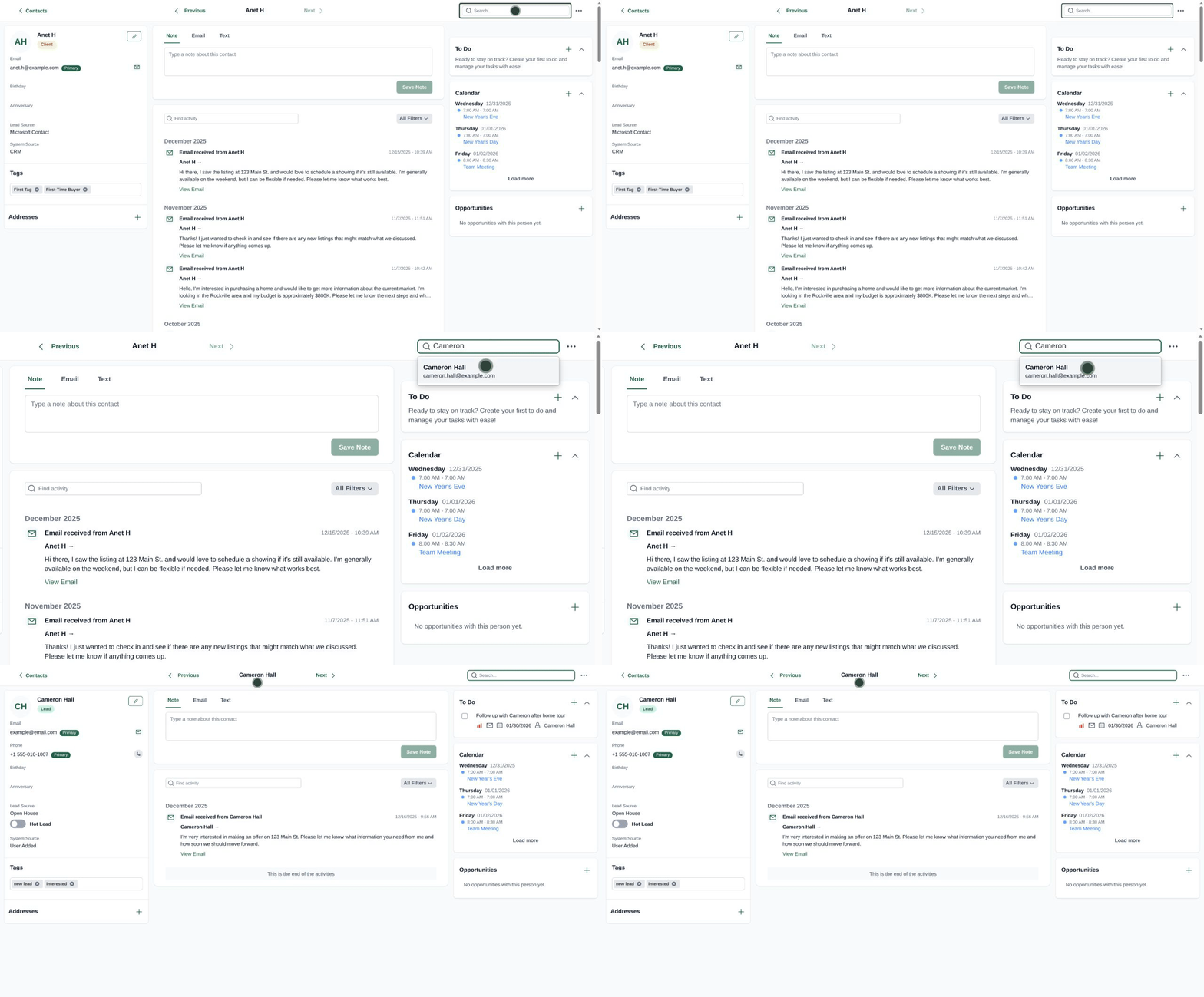
Enhanced contact records
We’ve added a global search bar to the contact record page, allowing you to search for and navigate to any contact directly—without returning to the main Contacts page.
Why It Matters:
This improvement saves time and streamlines workflow, making it faster for users to access and manage contacts, especially when handling large contact lists or multiple records.
See release notes for Relationships
Transact
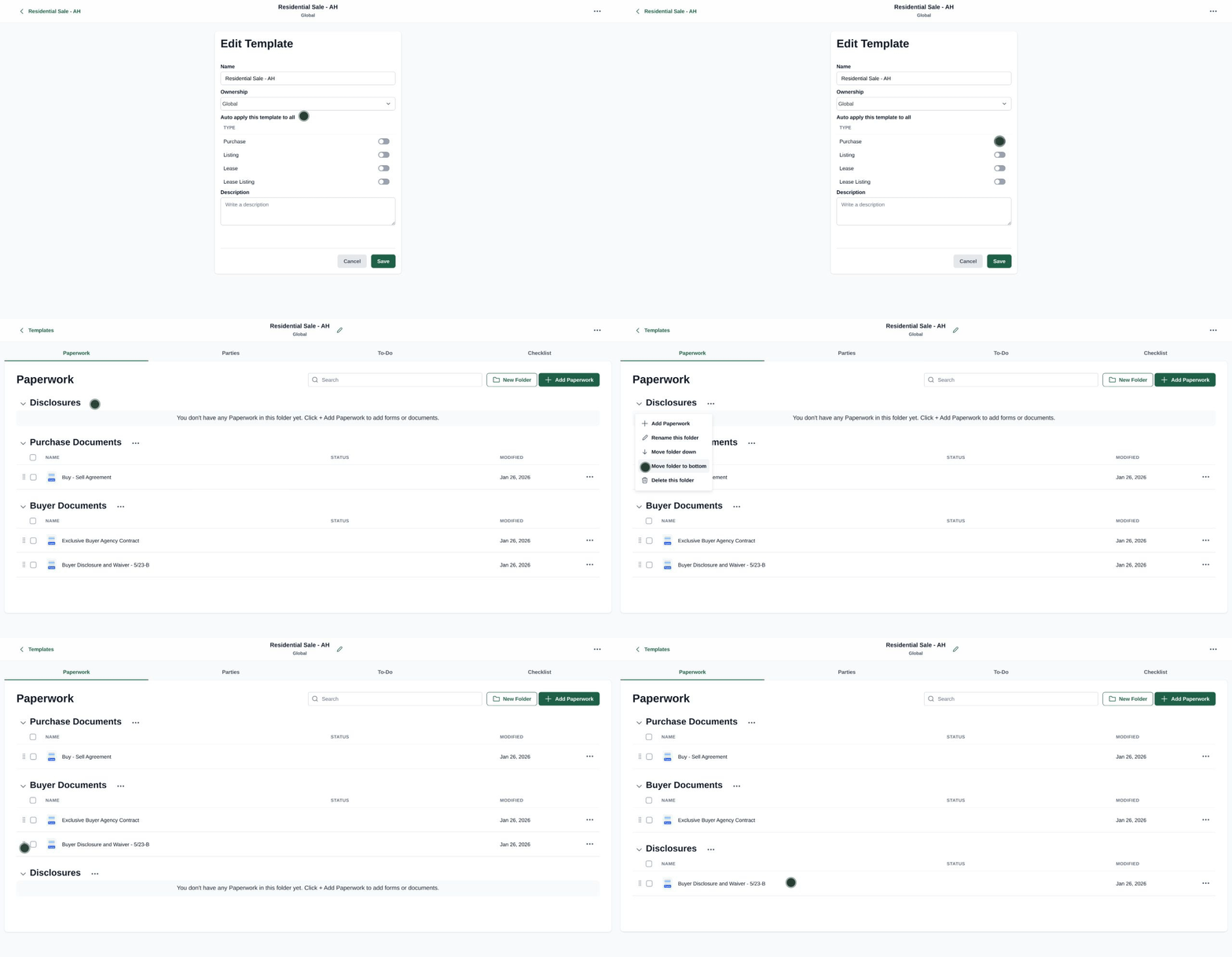
Paperwork, Party, and Compliance Enhancements
Paperwork Enhancement: You now have greater control over the order of folders and files in transactions and templates:
- Arrange folders using the More Options icon.
- Drag and drop files within folders to reorder them.
- Set and retain folder and file order in templates when applied to transactions.
Party Enhancement: If an agent has a license number in Lone Wolf Foundation, it will now automatically populate in all their parties across transactions.
Fortified Broker Edition Compliance: Brokers can further customize compliance settings to:
- Prevent agents from editing closed transactions.
- Prevent agents from moving a transaction to Closed before the brokerage finalizes it.
Why It Matters:
These updates streamline transaction management, save time, and reduce errors. Paperwork can be organized consistently, license information flows automatically, and stricter compliance settings protect brokers from potential downstream issues while ensuring proper oversight.
See release notes for Transact
Stay in the loop
We’ll publish Release Notes every month to keep you informed about what’s new and what’s next. Check back for our monthly updates, and in the meantime, explore additional how-to guides and knowledge base articles to get the most out of your Lone Wolf tools.
Other resources
See more eBooks, webinars, and blog articles to help you stay ahead with strategies designed for your success.