We've rolled out several updates designed to give agents clearer financial visibility and give brokerages more flexibility in their transaction workflows. Here's what's new.
Back Office Classic
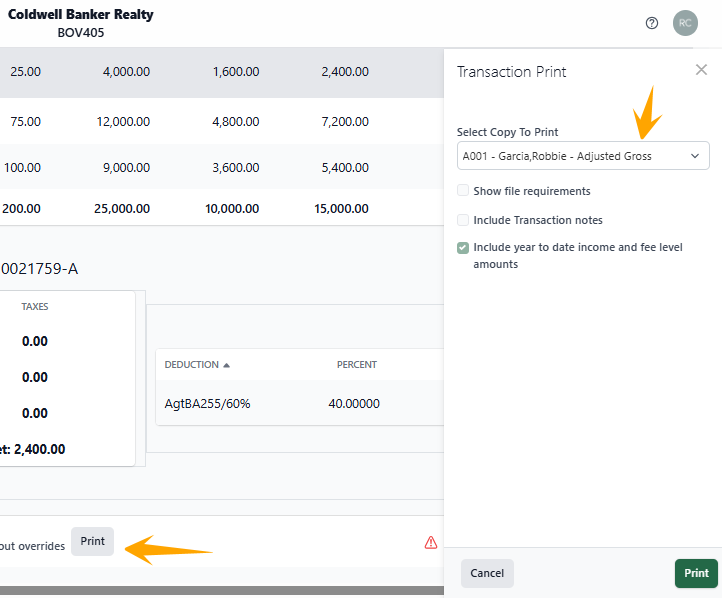
NEW: Agent Cap Closing Report — Competitor version
We added a new report for Back Office, found in 2.1 - Transactions > Print.
The Cap Closing Report provides an overview of a commission payment, the fees, and any expense amounts set to be deducted. The report shows the agent's progress toward their main split fee cap, the expected net payment amount, and the effect on the agent's taxable amount — all while congratulating the agent on their closing deal.
Why it matters:
Agents want to understand exactly what they're taking home on a deal, not just the headline commission number. This report puts cap progress, fees, deductions, and tax impact in one place, so agents get a clear, celebratory summary of each closing without having to piece it together themselves.
Transact
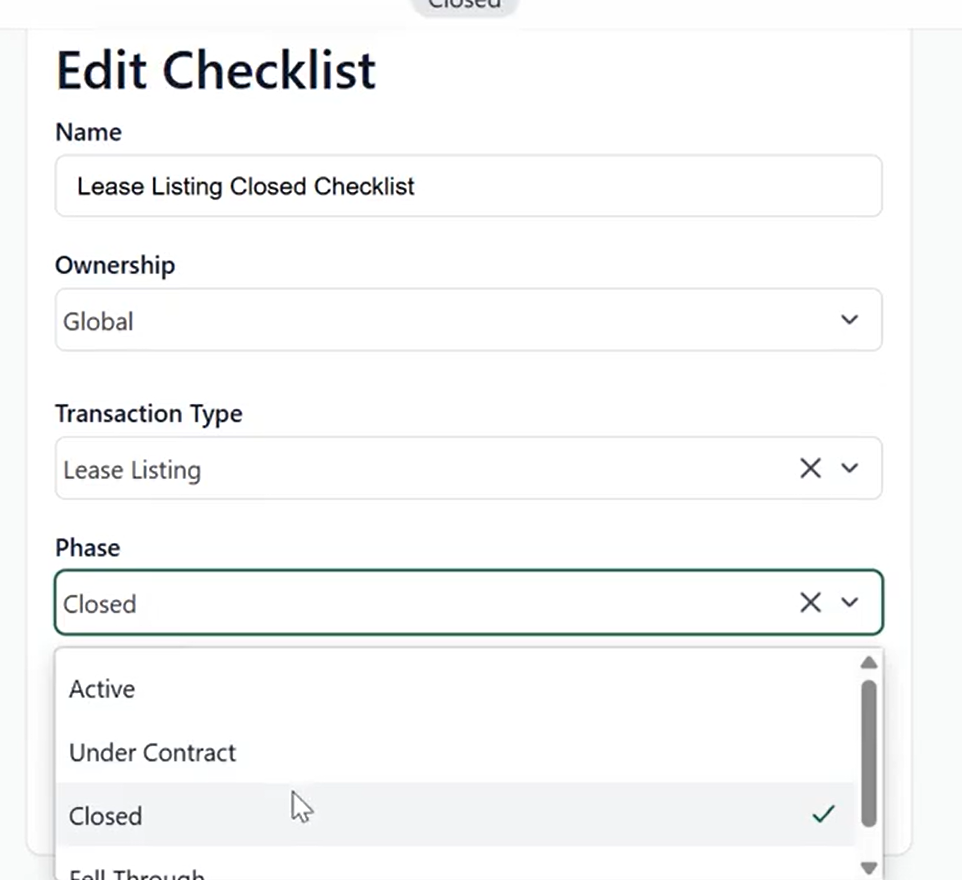
NEW: Closed checklist phase
We added a Closed phase as an available option when selecting the phases that checklists are associated with. We added this option to better reflect the realities that brokerages face in their workflows and to make it easier to divide up checklist items — since some checklist items are only relevant after closing and don't belong grouped with Under Contract items.
Closed phase checklists are created, updated, and deleted the same way as other checklists, and work seamlessly with your existing review workflows in Transact.
Why it matters:
Post-closing tasks are different from pre-closing tasks, and lumping them together makes checklists harder to manage. A dedicated Closed phase lets brokerages organize their workflow more accurately and keep post-closing requirements from getting lost or confused with in-contract steps.
NEW: Signing document forwarding
You can now forward signing documents directly from your signings. From the Transaction or global Signings menu, click more options (...) next to a signing, select Forward Documents from the dropdown, then enter the email addresses you want to forward the documents to.
Note: This is only available on completed signings.
Why it matters:
Getting signed documents to the right people — lenders, title companies, other agents — shouldn't require downloading and re-sending files manually. This update makes sharing completed signings faster and keeps document distribution inside Transact.
Stay in the loop
We’ll publish Release Notes every month to keep you informed about what’s new and what’s next. Check back for monthly updates, and in the meantime, explore additional how-to guides and knowledge base articles to get the most out of your Lone Wolf tools.
Other resources
See more eBooks, webinars, and blog articles to help you stay ahead with strategies designed for your success.