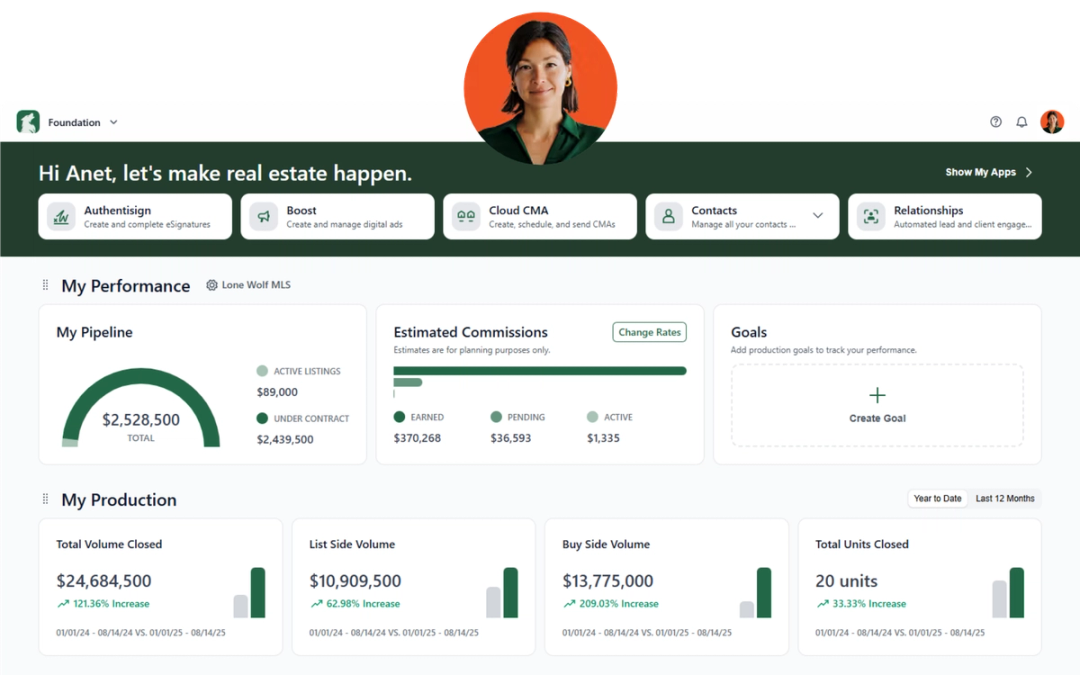
We’re always looking for ways to make Lone Wolf tools easier to use, more flexible, and more helpful in your day-to-day business. Here’s what’s new across Foundation, Front Office, and Boost.
Foundation
NEW: Admin tools enhancements
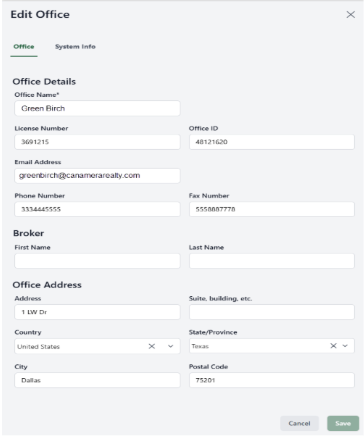
Managing user invitations just got easier. Foundation now includes a new Invite Expired status, giving brokers a clearer view of invitations that are no longer active.
We’ve also added a dedicated Broker section when creating or updating office information, helping reduce manual data entry for Transact users.
Why it matters:
Spend less time managing account details and more time focused on your business. Clearer invitation statuses make it easier to keep user access organized, while the new broker section helps streamline office setup and updates.
Front Office
NEW: Campaign History tab
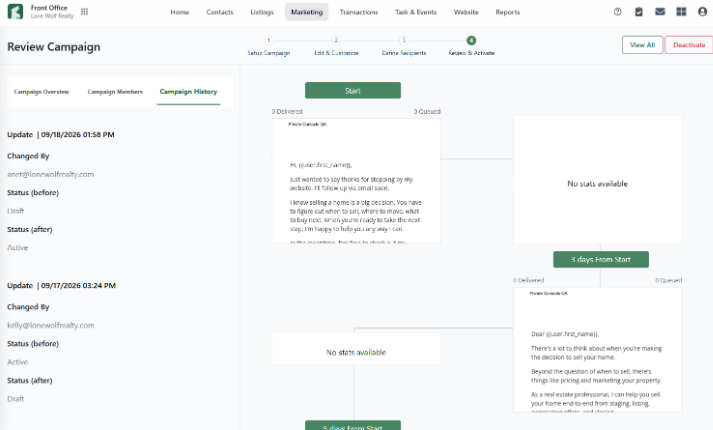
You can now keep track of changes made to your campaigns, email blasts, and text blasts. The new Campaign History tab shows what was changed, when the change was made, and who made it, with the most recent updates listed first.
You’ll find Campaign History under Step 4: Review and Send when creating or editing a campaign, email blast, or text blast.
Why it matters:
Keep your team on the same page and get more visibility into your marketing activity. Whether you’re reviewing a recent update or tracking changes across a team, the history is all in one place.
NEW: More flexibility for CTA banners
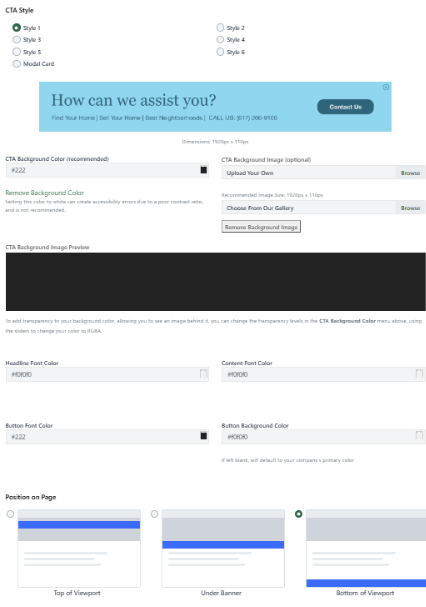
You now have more ways to customize your website’s call-to-action banners. In addition to the existing placement options, you can now position a banner in the center of the screen and customize the font and text alignment for any banner style.
Update your CTA banners under Website > Components > CTA Banners.
Why it matters:
Your website should work the way you want it to. More placement and design options give you greater control over how you capture attention and encourage visitors to take action.
NEW: Customizable search page layout
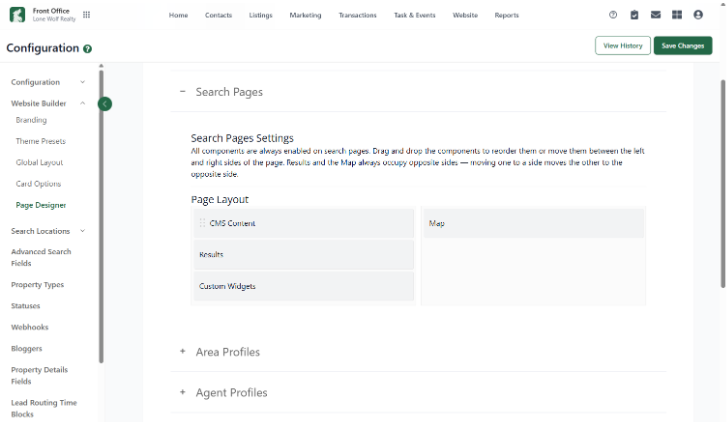
You can now customize your search page layout directly in the Page Designer, including where widgets, such as videos, appear in relation to search results.
Update your layout under Website > Website Builder > Page Designer > Search Pages.
Why it matters:
Create a search experience that works for your visitors and fits your website. You have more control over the way content and search results come together, helping visitors find the information they need.
NEW: Customizable Exclusives Featured page
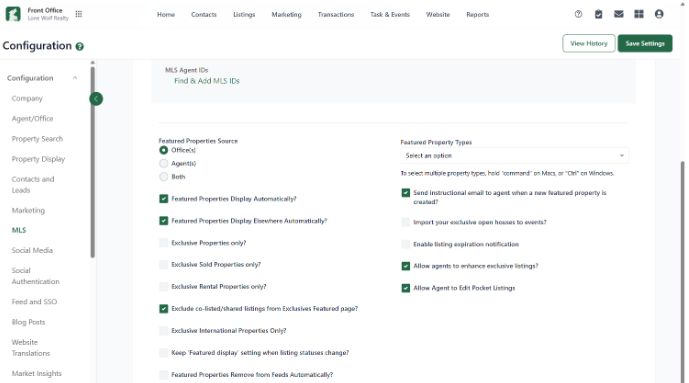
Broker and Admin users can now choose to exclude co-listed or shared listings from the Exclusives Featured page. When enabled, visitors will only see properties where your brokerage is the sole listing agent.
This setting applies only to the Exclusives page. Co-listed properties will continue to appear on agent bio pages and other areas of your website.
Update this setting under Settings > MLS > Exclude co-listed/shared listings from Exclusives Featured page.
Why it matters:
Put the spotlight where you want it. This added control helps you create a more focused Exclusives experience for website visitors while keeping co-listed properties visible throughout the rest of your site.
NEW: Phone types on agent profile cards

Agent profile cards on the Agents page now display phone type labels, such as Office and Cell, just like individual agent profile pages.
Why it matters:
Give website visitors clearer contact information at a glance, making it easier for them to know how to reach an agent.
Boost
NEW: Digital advertising on autopilot
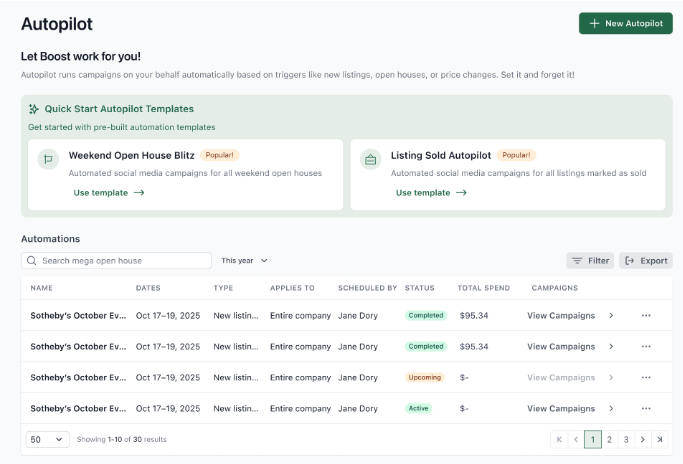
With Boost Autopilot, you can schedule ads to automatically run for new listings, open houses, sold properties, price reductions, and active listings that have been on the market for more than seven days.
When setting up Autopilot, choose your dates, listing types, price ranges, and the brokerage or office you want to create ads for. Boost takes care of generating and posting the advertisements for you.
Why it matters:
Your listings can keep moving without adding more work to your plate. Automating your advertising helps you stay consistent, save time, and spend less on manually managing campaigns.
NEW: Canva now integrated with Boost
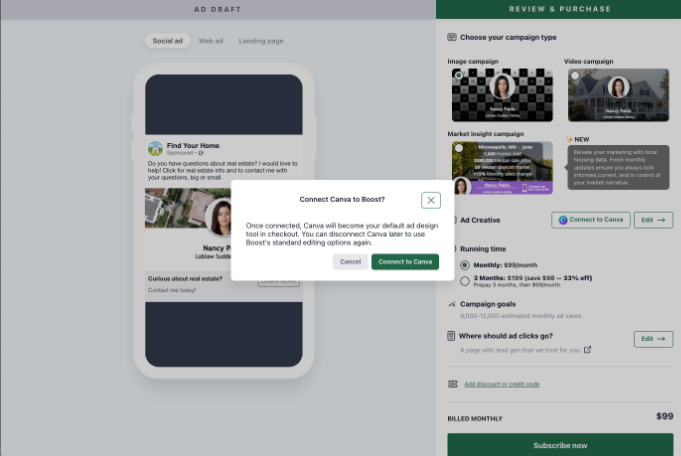
Boost now integrates with Canva, giving agents more creative control over their advertising.
Agents using Boost without their brokerage can connect their Canva account and create customized creative for Agent Promotion and Listing Campaign ads.
To get started, log in or create a Canva account from the Integrations tab in your Boost Account Settings. Once connected, Boost can share your agent and listing photos, along with logos, with Canva to help you create personalized campaign creative.
Why it matters:
Sometimes you want more control over the look and feel of your marketing. The Canva integration gives you the flexibility to create ads that reflect your brand while still using the listing and agent information already in Boost.
Stay in the loop
We’ll publish Release Notes every month to keep you informed about what’s new and what’s next. Check back for monthly updates, and in the meantime, explore additional how-to guides and knowledge base articles to get the most out of your Lone Wolf tools.
Other resources
See more eBooks, webinars, and blog articles to help you stay ahead with strategies designed for your success.