The real estate agent website checklist: MLS sync, IDX, and built-in themes

Your real estate agent website is often the first impression a buyer or seller gets of you. Before they call, before they email, before they show up to an open house — they've already Googled you. And if what they found looked outdated, had no search functionality, or wasn't connected to current listings? They probably kept scrolling.
The good news: you don't need a full custom website build to have a professional, high-performing online presence. You just need the right real estate website builder and to know what to actually look for. Think of this as your checklist.
The best real estate agent websites need live MLS-powered listing search via Internet Data Exchange (IDX), a design that doesn't start from zero (themes and templates you can actually customize), built-in lead capture, optimized searchability features, and ideally a connection to a CRM so you're not manually chasing every inquiry.

Why your real estate website can't just be a digital business card.
Here's the thing: buyers start their home search online today, long before they reach out to an agent. A site that just has your headshot, a bio, and a contact form isn't enough. Buyers want to search listings. They want to save searches, set up alerts, and come back when something new pops up. Sellers want to see that you're credible and active in their market.
A real estate agent website that's doing its job should generate leads for you while you're sleeping. That means live listings, built-in search tools, and forms that funnel inquiries directly into a place you can act on them. If your site isn't doing that, it's a missed opportunity every single day.
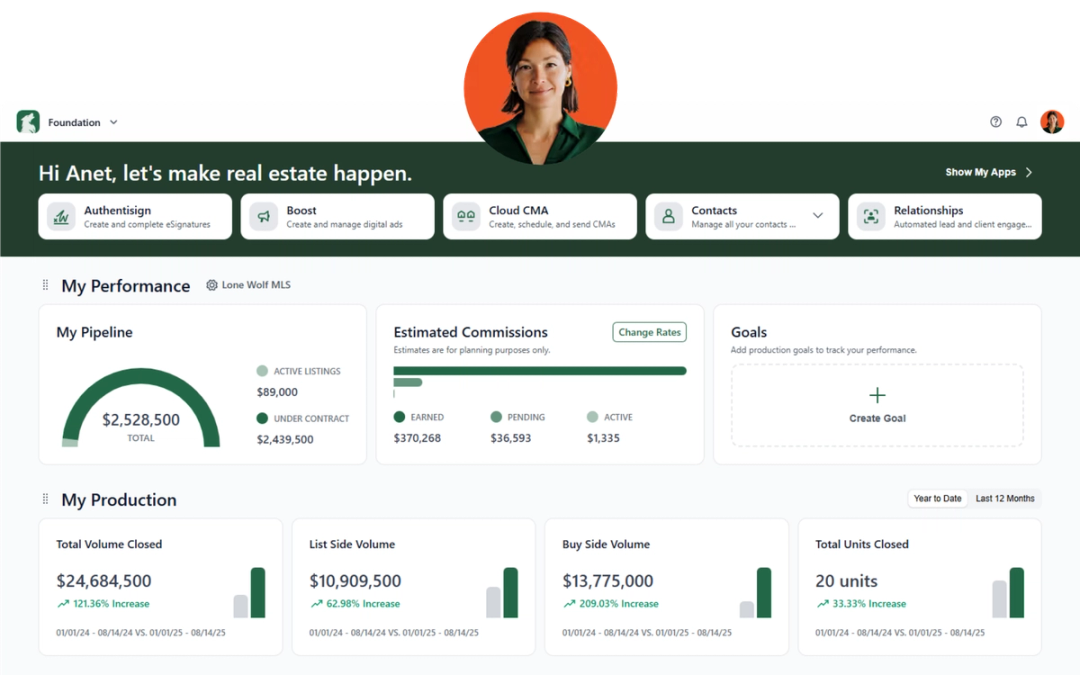
That's exactly what Lone Wolf Front Office is built to do. It brings together your brokerage website, CRM, and marketing tools in one place to get your brand in front of the right prospects at the right time and keep them engaged from first search to signed contract.

What the best real estate website builders actually include: your checklist
1. Live MLS integration: What to look for in an IDX website for REALTORS®
This is non-negotiable. An IDX integration means your site pulls live, up-to-date listings directly from the MLS. Buyers can search properties right on your site — not get redirected to another home search site or find listings that are no longer current.
What to look for in a good MLS integration website:
- Coverage across your market — Front Office connects with 300+ MLS boards across the U.S. and Canada, so whether you're in Phoenix or Prince Edward Island, you're covered.
- Live listing updates — Properties should reflect current listing status, price changes, and new inventory as frequently as your MLS data feed allows. With Front Office, IDX listing data is typically updated every 15 minutes to one hour, depending on the MLS.
- Listing detail pages with full info — This includes photos, videos, virtual tours, open house info, and neighborhood details.
- Flexible content publishing — The ability to promote your own listings, local expertise, and approved marketing content alongside MLS search, subject to brokerage and MLS rules.
A solid IDX website for REALTORS® should make searching feel seamless — and that starts with the MLS connection underneath it. If a buyer has to jump through hoops to browse listings on your site, they'll leave.
2. Themes and templates: What a good real estate website builder should offer
One of the biggest myths about real estate agent websites is that you need to build everything from the ground up to stand out. You don't. What you need is a starting point that's already professional, mobile-ready, and customizable to your brand.
Here's where the broker-to-agent template flow comes in. With Front Office, brokerages set up their website with a brand identity — colors, fonts, logos, layouts — and agents get their own sites that inherit that branding. You're not starting from zero. You're starting from "almost done."
That matters for a few reasons:
- Consistency — Buyers and sellers recognize your brokerage's brand when they land on your page, which builds instant credibility.
- Speed — You can have a professional site up without weeks of design work.
- Flexibility — You can still customize your agent profile, add a bio, feature your listings, and create landing pages for campaigns.
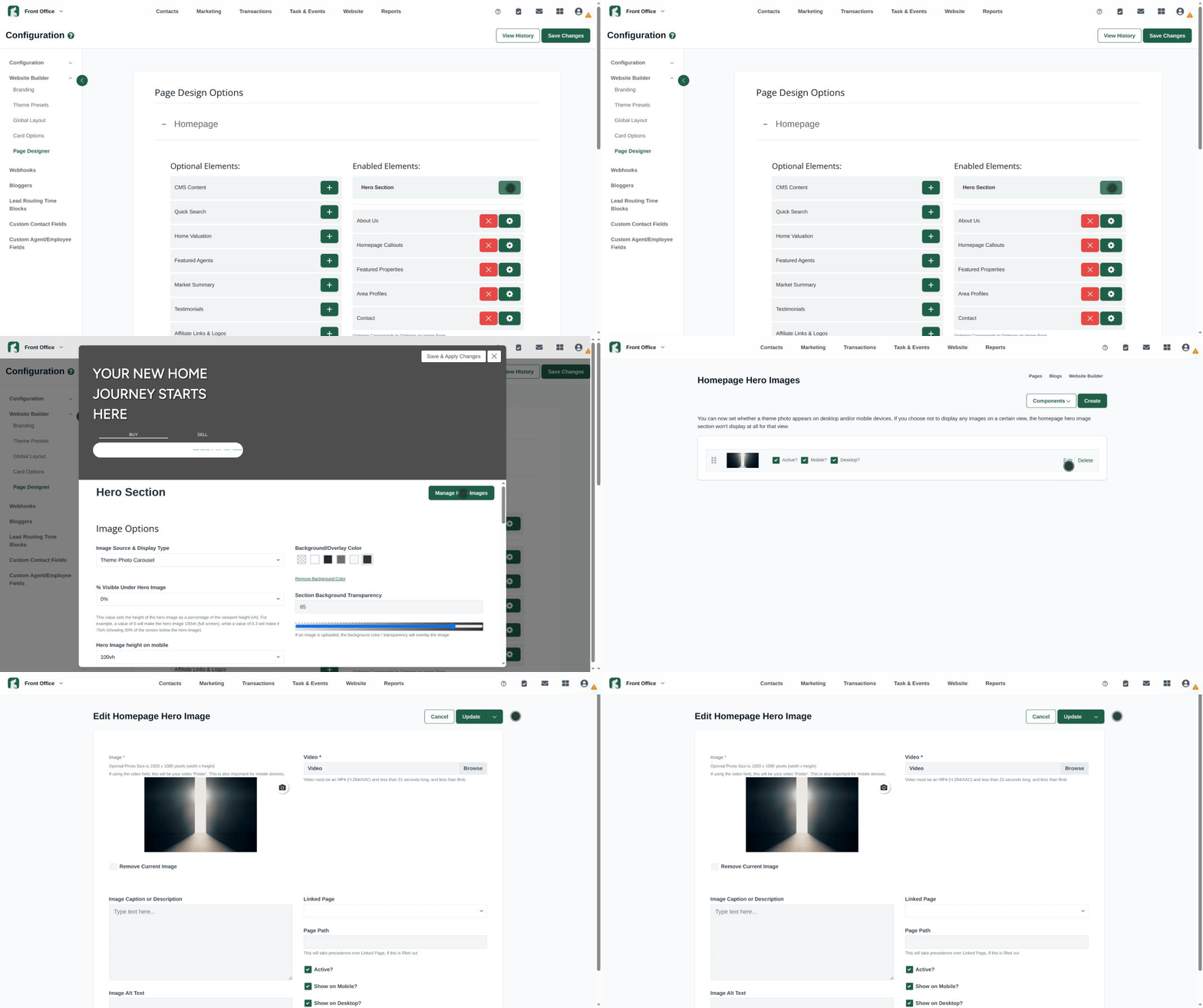
Front Office offers theme options including Marble and Slate — clean, modern designs that look professional without a custom build budget. The style editor lets you tweak colors, fonts, and layouts, but the heavy lifting is already done. And if you want to go deeper, Front Office also lets you customize how content displays as cards across your site, including property listings, agent profiles, neighborhood areas, market insights, and blog posts. It's the kind of detail that makes a site feel intentional rather than templated.
3. Lead capture that works
Every real estate website builder worth using should have lead capture tools baked in — not bolted on as an afterthought.
Here's what good lead capture looks like:
| Feature | Why it matters |
|---|---|
| Home valuation tool | Captures seller leads — someone who wants to know what their home is worth is a high-intent prospect |
| Property search sign-up | Requiring an account to save searches and get listing alerts turns browsers into contacts |
| Contact forms on listing pages | Makes it dead simple for interested buyers to reach out |
| Automatic CRM routing | Inquiries go straight into your lead management system, no manual entry required |
Front Office routes leads captured on your site directly into its built-in CRM. You get a full contact record automatically — with their search history, favorited properties, and engagement activity — so when you reach out, you already know what they've been looking at.
4. Mobile-ready design
70% of recent homebuyers used a mobile device or tablet during their home search, according to the NAR’s 2025 Profile of Home Buyers and Sellers. If your site isn't optimized for phones and tablets, you're losing people before they even see your listings. Every template in a modern real estate website builder should be responsive by default — meaning it looks great and loads fast on any device.
It's not just about resizing a desktop layout for a smaller screen. You can set different hero images and videos for desktop and mobile versions of your site, so the first thing visitors see is optimized for the screen they're on. Front Office handles both, with mobile-first templates that load fast and display cleanly on any device.
5. Built-in marketing and automated follow-up
Ask yourself: what happens after someone submits a contact form on my site? According to NAR, 78% of buyers work with the first agent who responds, so faster follow-up means better odds of engaging a lead while their interest is high. If your answer to the question is "it goes to my email and I try to follow up," that's a gap.
A real estate website connected to your marketing tools helps you get there faster. With Front Office, you can:
- Set up automated drip campaigns that go out to new leads immediately.
- Create action plans that guide you (and any team members) through the follow-up process step by step.
- Send targeted email and SMS blasts to specific segments of your contact list.
- Track which campaigns are driving traffic and which ones are falling flat.
You don't need to be a marketing expert to use these tools. The templates are already there. You pick the one that fits the campaign, customize it for your brand, and send.
6. Analytics and reporting
If you don't know what's working on your site, you can't improve it — and most agents have no idea, because their website, email platform, and CRM are three separate tools with three separate dashboards.
Front Office pulls all of that into one place. Here's what you can actually see:
- Site traffic and visitor behavior — Who's coming to your site, what they're clicking, and which listings are getting the most attention.
- Search terms report — See exactly what buyers are typing into your property search. If half your visitors are searching for condos in a specific neighborhood, that's market intelligence you can act on.
- Email marketing visibility — Monitor the reach of every email blast and drip campaign with a clear view of sent history and upcoming sends, compare which ones have the widest reach, and use those insights to plan your next move.
- Lead sources — Know which channels are actually driving inquiries so you can invest accordingly.
- Agent adoption — Brokers can see how actively agents are logging in and using the CRM, which makes coaching conversations a lot easier.
- Revenue by agent and by source — Connect marketing activity to closed deals.
Brokers get an extra layer: reports span all websites — brokerage, office, agent, and team — from a single view, and most are one-click to generate. For teams that want to go deeper, Front Office also supports GA4 and Google Tag Manager integrations.
7. Built-in SEO and local search capabilities
A real estate website needs more than a polished design; it needs to be discoverable. Look for a tool that gives you practical SEO controls without requiring a developer for every update, plus the flexibility to build content around the markets you serve.
Here's what to look for:
- Editable page titles and meta descriptions — You should be able to optimize key pages, such as your homepage, property-search pages, listing pages, and blog posts without touching code.
- Location-specific content — Create pages for the cities, neighborhoods, communities, and property types you serve. Useful, locally relevant content can help your site compete for searches such as "homes for sale in [city]" or "[neighborhood] real estate."
- Clean, search-friendly URLs — Readable URLs make it easier for visitors and search engines to understand what a page is about.
- Mobile-friendly, fast-loading pages — A strong site should work smoothly across devices and load quickly, both of which matter for visitors and search visibility.
Ranking in local search isn't about how long you've been in the business. It's about showing up consistently with content that's actually useful to buyers in your market.

How Front Office puts this all together.
Most real estate website builders offer some of these features — but finding a true MLS integration website that bundles all of them is harder than it looks. And very few offer all of them in one connected platform that also plugs into your transaction workflow.
Here's a quick look at what Front Office includes versus what you'd have to piece together somewhere else:
| What you need | DIY approach | Front Office |
|---|---|---|
| MLS-integrated listing search | Third-party IDX plugin + separate hosting | Built-in, with broad U.S. and Canada coverage |
| Agent website design | Hire a developer or use a generic website builder | Broker-branded templates, ready to customize |
| Lead capture | Third-party form tool + manual CRM entry | Built-in, no manual entry |
| Automated follow-up | Separate email marketing platform | Built-in drip campaigns, action plans, SMS |
| Reporting | Multiple tools or manual tracking | Unified dashboard with website + lead + campaign data |
| Transaction connectivity | None — separate systems | Native integration with Lone Wolf Transact |
That last row is worth noting. Front Office is part of the Lone Wolf ecosystem, which means the lead that comes in through your website can follow a connected path all the way to closing — through Lone Wolf Transact for transaction management, Cloud CMA for comparative market analyses, and Boost for digital ad campaigns. It's not a collection of integrations you hope will talk to each other. It's one platform built for the full client journey.
Ready to see what a real estate agent website built for results actually looks like? Front Office is the real estate website builder that brings it all together.
Explore Lone Wolf Front Office
Frequently asked questions.
What is an IDX website for REALTORS®?
- IDX (Internet Data Exchange) lets real estate agents display live MLS listings directly on their own website — current listings, prices, and photos pulled from your local board. It's what allows your site to compete with portals like Zillow or Realtor.com.
Do I need to build my real estate agent website from scratch?
- No. Modern real estate website builders offer ready-made themes and templates built for real estate. With Front Office, your brokerage's brand carries over to your agent site automatically — you're starting from a polished base, not a blank page.
How does an MLS integration website help me generate leads?
- When buyers can search listings on your site, save searches, and get alerts, they have a reason to come back — and each visit builds a contact record you can act on. You'll know what they're searching, their price range, and how active they are, which is a lot more useful than a name and email alone.
Does Front Office work for individual agents or just brokerages?
- Both. Brokerages manage their main site and oversee agent sites, branding, and lead routing. Individual agents get their own branded site with full control over listings, bio, and lead management. If your brokerage is already on Front Office, your setup is largely done before you log in.
What should I look for in a real estate website builder?
- The basics are non-negotiable: live MLS/IDX integration, mobile-responsive design, built-in lead capture, and a CRM connection so inquiries don't fall through the cracks. Beyond that, look for marketing automation so follow-up doesn't depend on you remembering to do it, and a connection to your transaction tools so the workflow doesn't break the moment someone is ready to move forward. Front Office is one of the few real estate website builders that covers all of this in a single platform, with a native connection to your transaction tools — no integrations required.
What is the difference between MLS and IDX on a real estate website?
- The MLS is the database where agents share listing data. IDX is the system that lets you display that data on your own website. Think of the MLS as the source and IDX as the pipeline — without it, your site has no way to show live, accurate listings from your market.
Other resources
See more eBooks, webinars, and blog articles to help you stay ahead with strategies designed for your success.