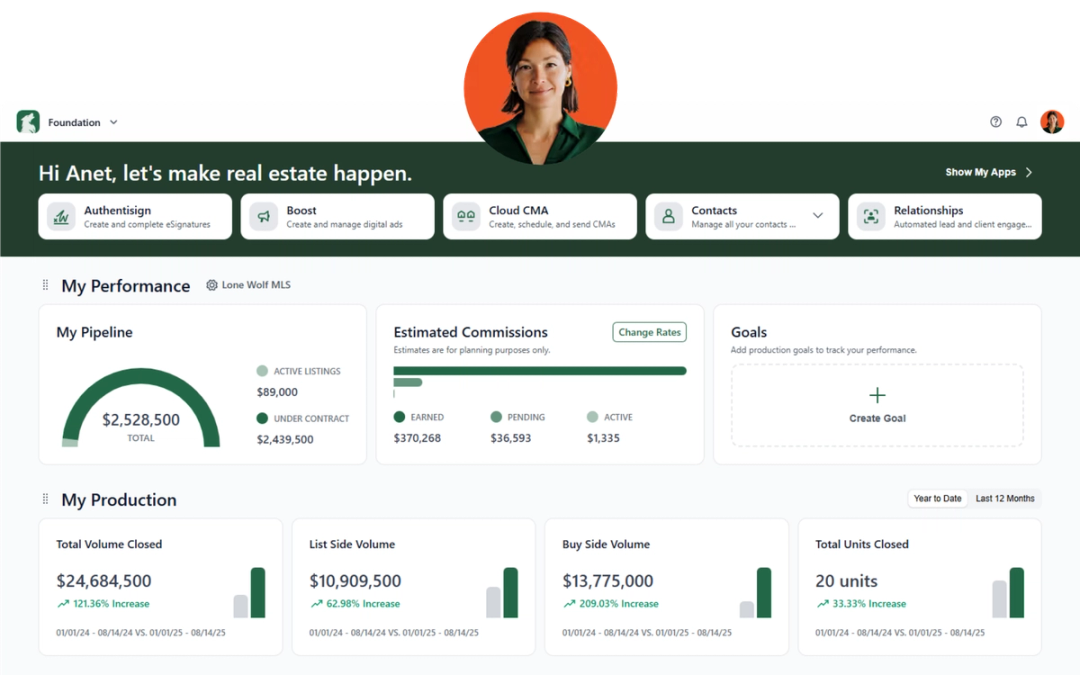
Here’s what’s new across Lone Wolf solutions this month. These updates focus on improving clarity, workflow efficiency, and visibility—helping agents, brokers, and admins move through their day with fewer interruptions and better insight.
Back Office Classic and new Back Office
Year-end tax updates (Canada)
With tax season approaching for Canadian clients, we’ve updated Back Office with the latest year-end tax forms to help you manage reporting requirements for the current tax year.
Why it matters:
Keeping tax forms up to date helps ensure accurate reporting, reduces the risk of errors, and makes it easier to complete year-end processes with confidence.
See release notes for new Back Office
See release notes for Back Office Classic
BrokerMetrics

Saved agents recruiting activity email notification
The recruiting activity email notification keeps brokers and recruiting teams informed about engagement and production updates from their saved agents—without requiring them to log in and manually check for activity.
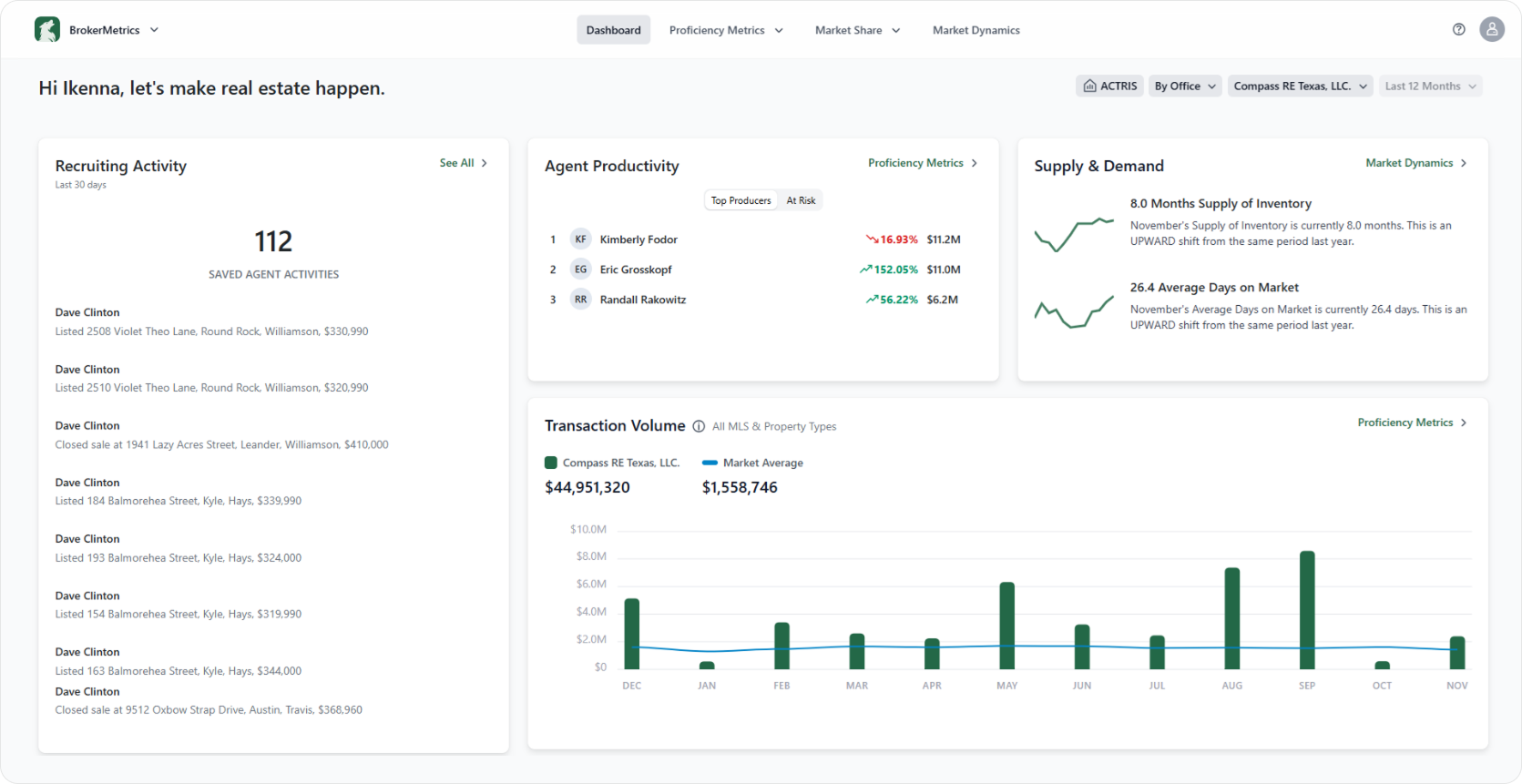
When recruiting activity occurs among saved agents within the selected reporting period, users receive a branded summary email highlighting the number of actions completed by those agents. This proactive notification helps recruiters stay aware of momentum, performance changes, and potential outreach opportunities in near real time.
Users will also receive notifications when their saved agents have no recruiting activity during the reporting period, ensuring they remain fully informed of agent engagement and trends.
Why it matters:
Instead of manually logging in to check activity, recruiting teams receive proactive updates that highlight agent momentum and potential outreach opportunities—helping them stay responsive and focused.
Foundation

The updated App Switcher now centralizes client selection and clearly separates legacy products from current tools, making it easier for users to navigate between brokerage, MLS, and individual account environments.
Why it matters:
Clearer product organization reduces confusion and supports smoother workflows for users working across multiple accounts or environments.
NEW: Leads+ product widget
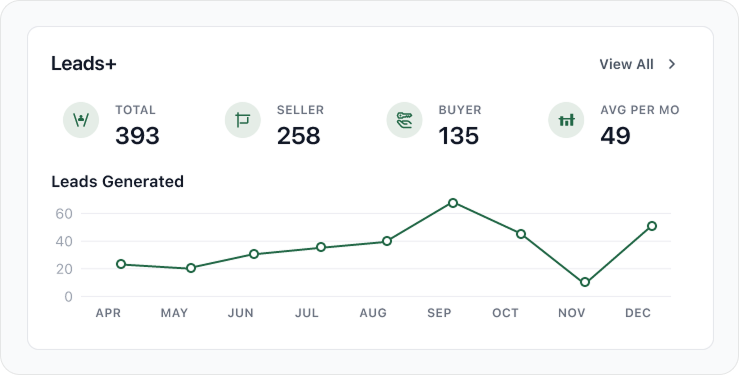
We've launched the Leads+ product widget! This widget provides agents with a concise, real-time overview of their lead generation performance – transforming lead data into a clear, actionable performance summary. It highlights 4 key metrics alongside a 12-month trend chart, giving agents immediate clarity into their pipeline’s health and production patterns.
Why it matters:
Turning lead data into an easy-to-read performance snapshot helps agents monitor trends and make smarter decisions about their pipeline.
Admin tools enhancements
We've made enhancements to the filters in the Users tab, giving users the ability to filter by office and including users' secondary offices in the results, and by first and last names for easier searchability.
The default Users tab view now also excludes deactivated users for a clearer snapshot of the current roster. Users can still see deactivated users using the status dropdown filter.
Why it matters:
More flexible filters make it easier for admins to locate users and manage their organization’s roster efficiently.
See release notes for Foundation
Relationships
NEW: Relationships daily email
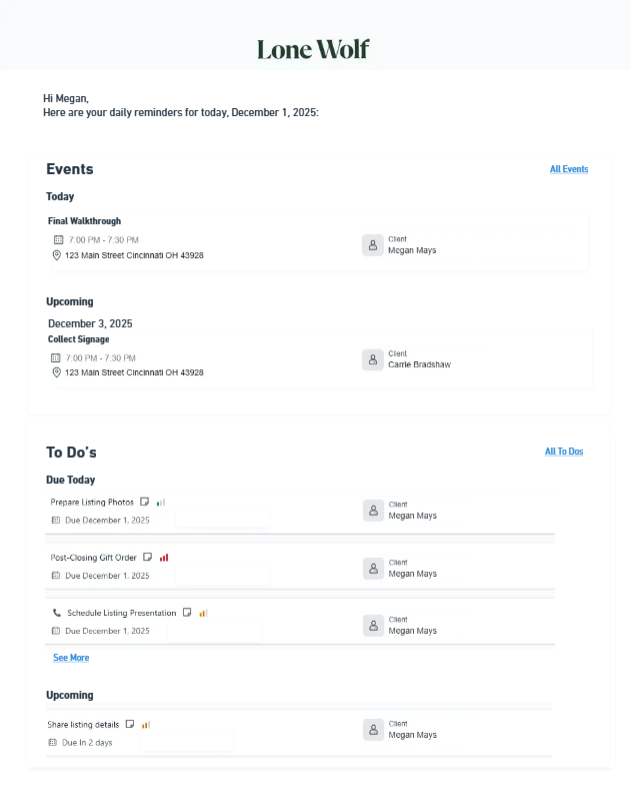
Say hello to your Daily Relationships Pulse – a new daily email that captures a snapshot of your To Dos and Events for the day and the week.
The email is sent at 6:00 AM Eastern Time each day, and includes the following information: the title, time and date, location of each Event, as well any invited or related contacts; and the title, type, priority, and due date of each To Do, as well as any related contacts. The email also includes shortcuts so you can navigate directly to creating a new Event or To Do.

All active users are automatically opted in to receiving the Daily Relationships Pulse. To stop receiving daily emails, update your daily email notification settings – see "Unsubscribe from the Daily Relationships Pulse email" for instructions.
Why it matters:
Starting the day with a clear overview of tasks and events helps agents prioritize their schedule, stay organized, and reduce the risk of missed follow-ups.
See release notes for Relationships
Transact

Paperwork enhancements
- You can now rotate pages and split a PDF from the PDF preview of that file in a transaction or template by selecting Organize in that document's more options menu or clicking the Organize icon in the PDF preview.
- Broker Edition only: When you reset and copy a transaction containing paperwork that is attached to a checklist item, the copied paperwork will retain its document approval status (Pending, Needs Correction, Approved) and remain attached to the corresponding checklist item.
Why it matters:
These updates reduce the need for external document editing and preserve important approval workflows, helping transactions stay organized and compliant.
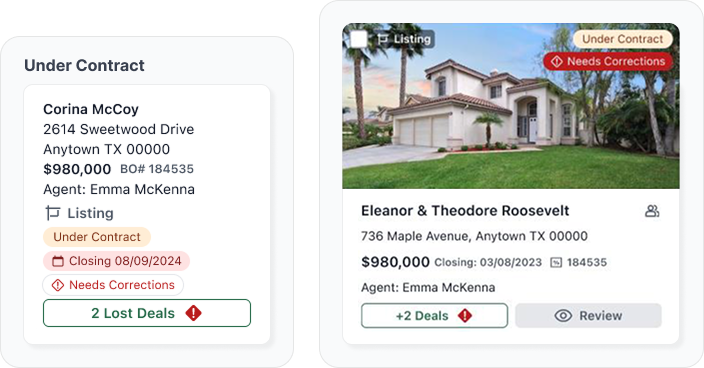
Transaction enhancement
For users managing multiple agents, agent names will now appear on transactions that do not belong to you in both the transactions list and Deal Tracker.
Why it matters:
Displaying agent names makes it easier to identify ownership and manage multiple transactions across teams without confusion.

Signing enhancements
- NEW: We've added a new markup tool in Authentisign! You can use the new Checkbox tool to add a read-only checkbox that is already checked off, thereby removing any confusion for the signing participant.
- All signing participants will now be notified (by email) when a signing participant rejects a signing.
- Authentisign now supports transparent images for signatures and initials in the Upload tab.
Why it matters:
Improved signing tools and notifications create a clearer experience for all participants and help prevent delays during document execution.
See release notes for Transact
Transactions (TransactionDesk and zipForm)
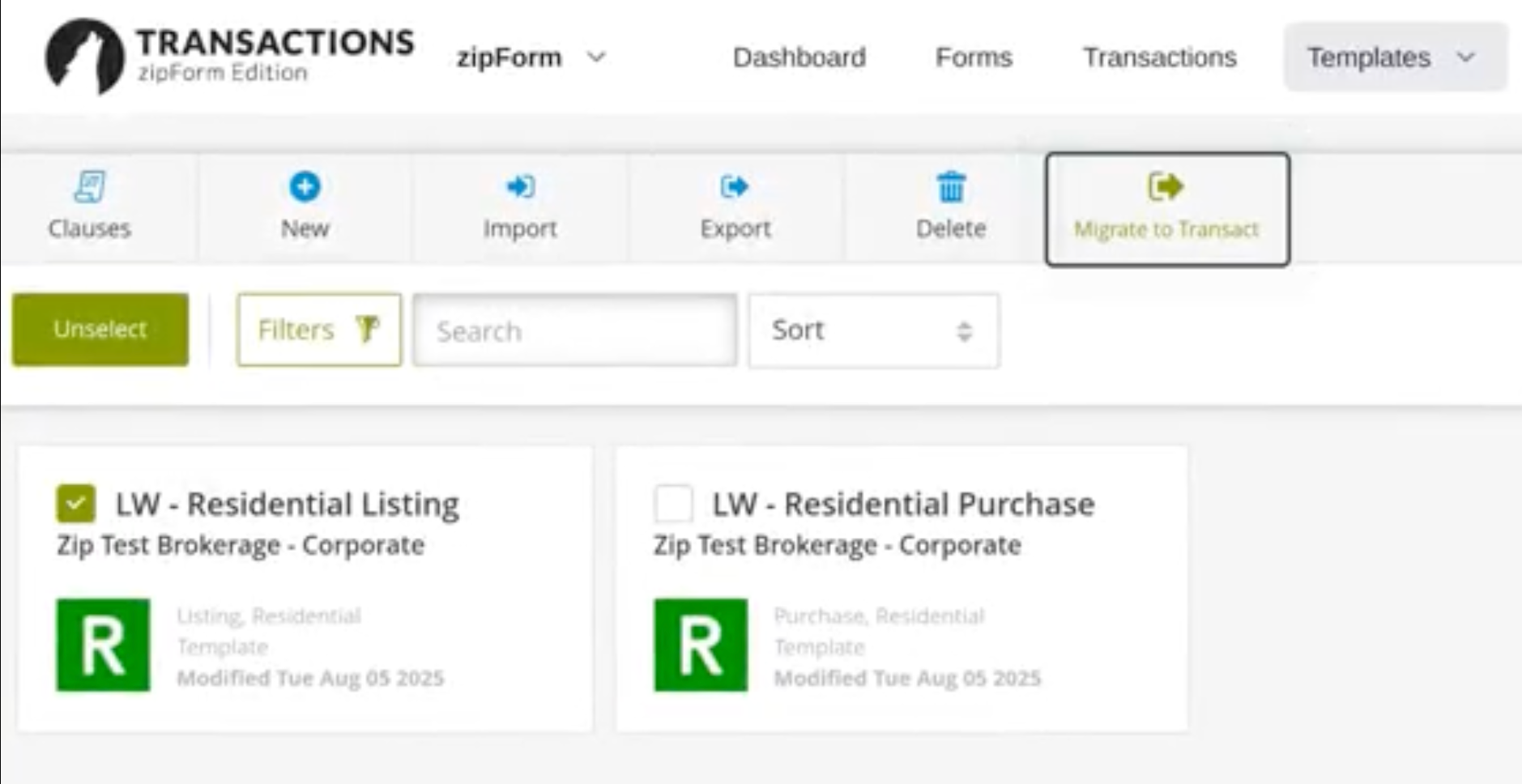
Template migration to Transact
When users claim a Lone Wolf Account, templates previously created in TransactionDesk or zipForm are now automatically migrated into Lone Wolf Transact.
If you previously claimed a Lone Wolf Account, you must manually start the template migration process — see “Migrate your TransactionDesk Edition templates to Transact” or “Migrate your zipForm Edition templates to Transact” for instructions.
Why it matters:
This makes it easier to transition workflows into Transact without recreating templates, saving time and ensuring consistency across transactions.
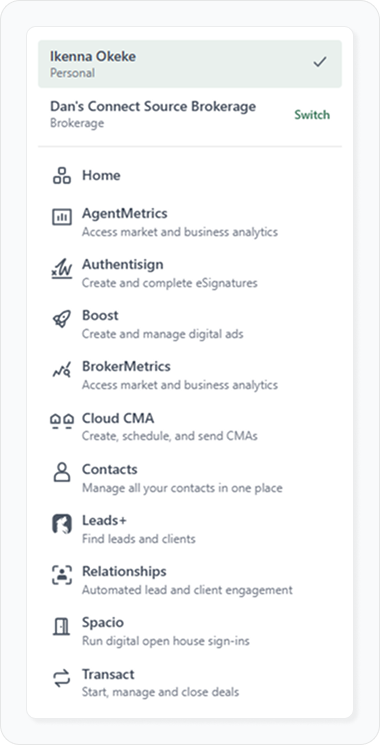
New App Switcher
The new App Switcher centralizes client selection and product access into a single, structured menu accessible from the top navigation.
The updated experience provides:
- Clear visibility into your currently selected account
- Immediate access to all available products for your account
- A clear indication of whether a product is legacy or not
- A consistent visual experience with other products
- Improved multi-environment workflow support
Why it matters:
By clearly defining the active account and associated products, the new switcher eliminates confusion between environments and makes navigating between tools faster and more intuitive.
Authentisign signing enhancements
We’ve added several improvements to the signing experience, including a new Checkbox markup tool that allows users to insert read-only checked boxes for signers, email notifications when a signing participant rejects a document, and support for transparent signature and initial images.
Why it matters:
These updates reduce confusion during signing and provide clearer communication between participants, helping transactions move forward without unnecessary delays.
Stay in the loop
We’ll publish Release Notes every month to keep you informed about what’s new and what’s next. Check back for monthly updates, and in the meantime, explore additional how-to guides and knowledge base articles to get the most out of your Lone Wolf tools.
Other resources
See more eBooks, webinars, and blog articles to help you stay ahead with strategies designed for your success.