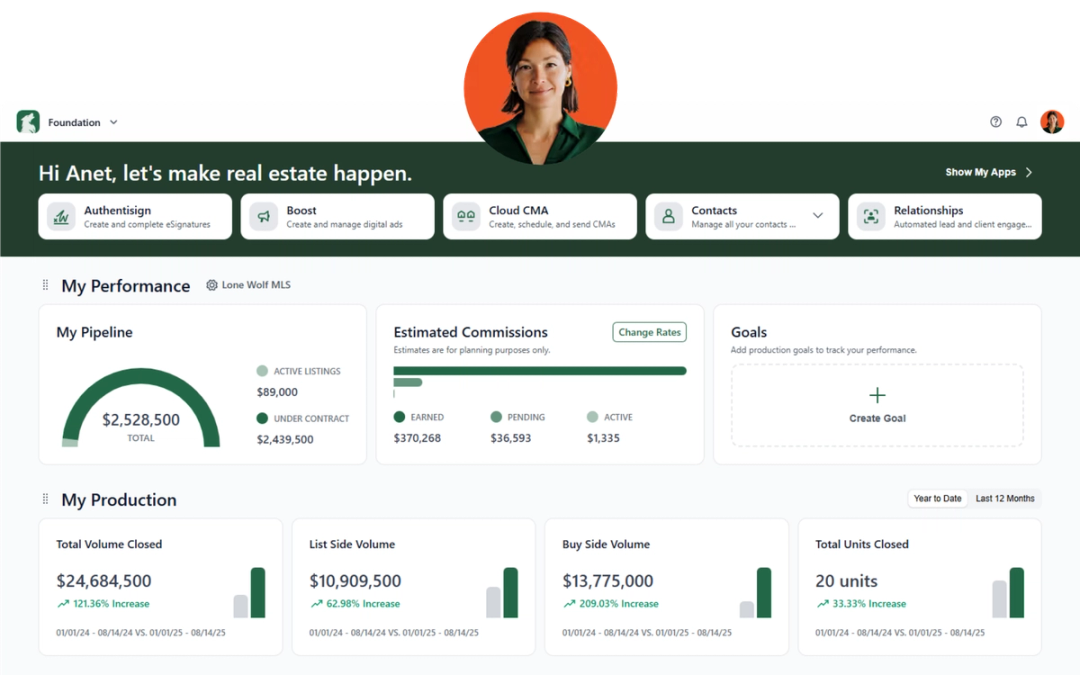
May’s updates focus on helping users work more efficiently and stay better connected across their workflows, with improvements to agent management, dashboard usability, document tracking, integrations, and transaction organization.
BrokerMetrics
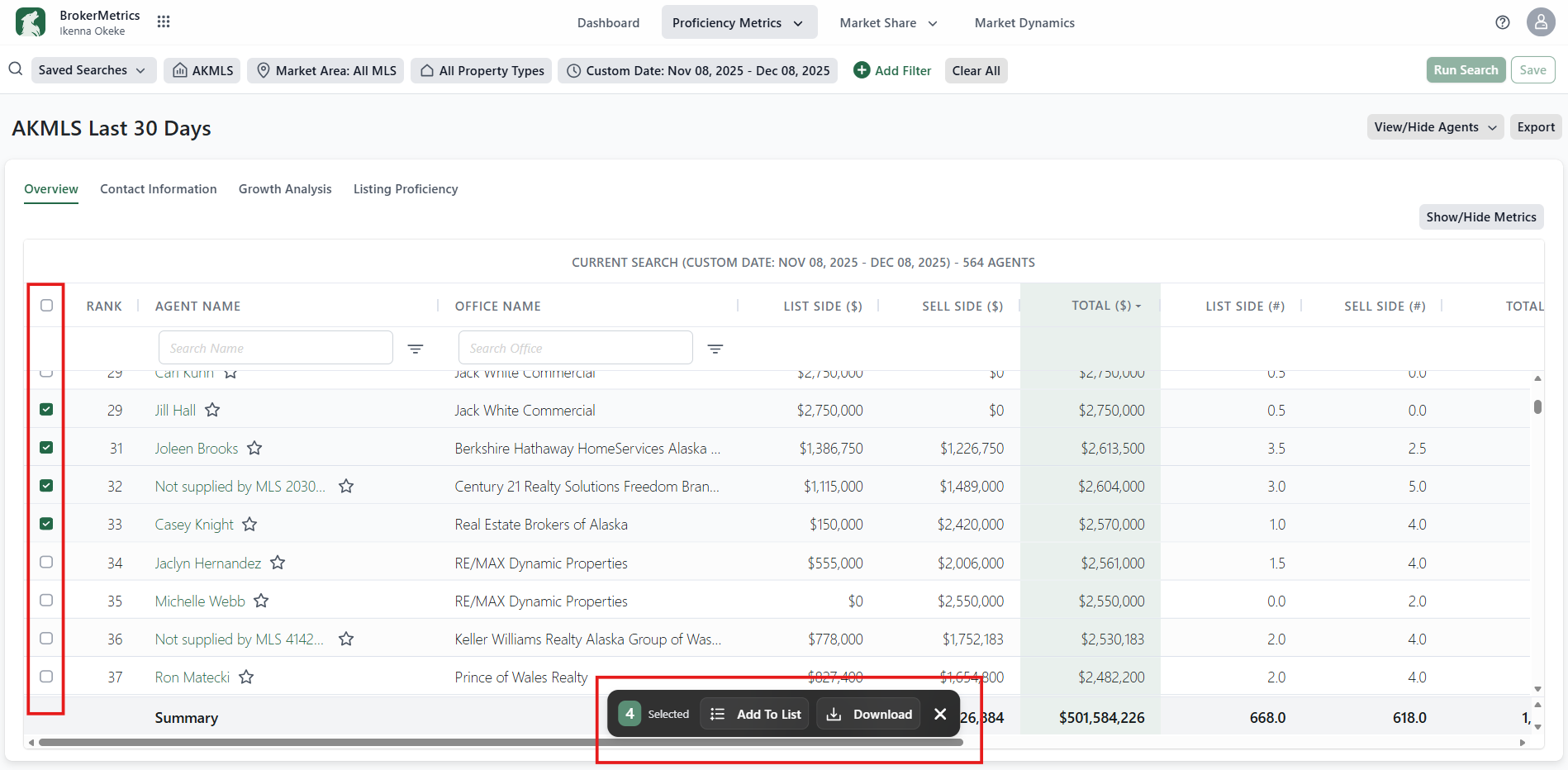
Bulk Actions for Agent Search
You can now select multiple agents directly from Agent Search results and take action on them all at once. Add agents to contacts or lists, or export their data in a single workflow while keeping your selections visible as you work.
Why It Matters:
Bulk actions reduce repetitive tasks and make it easier to manage large groups of agents efficiently, helping recruiting and brokerage teams save time while maintaining workflow momentum.
Foundation
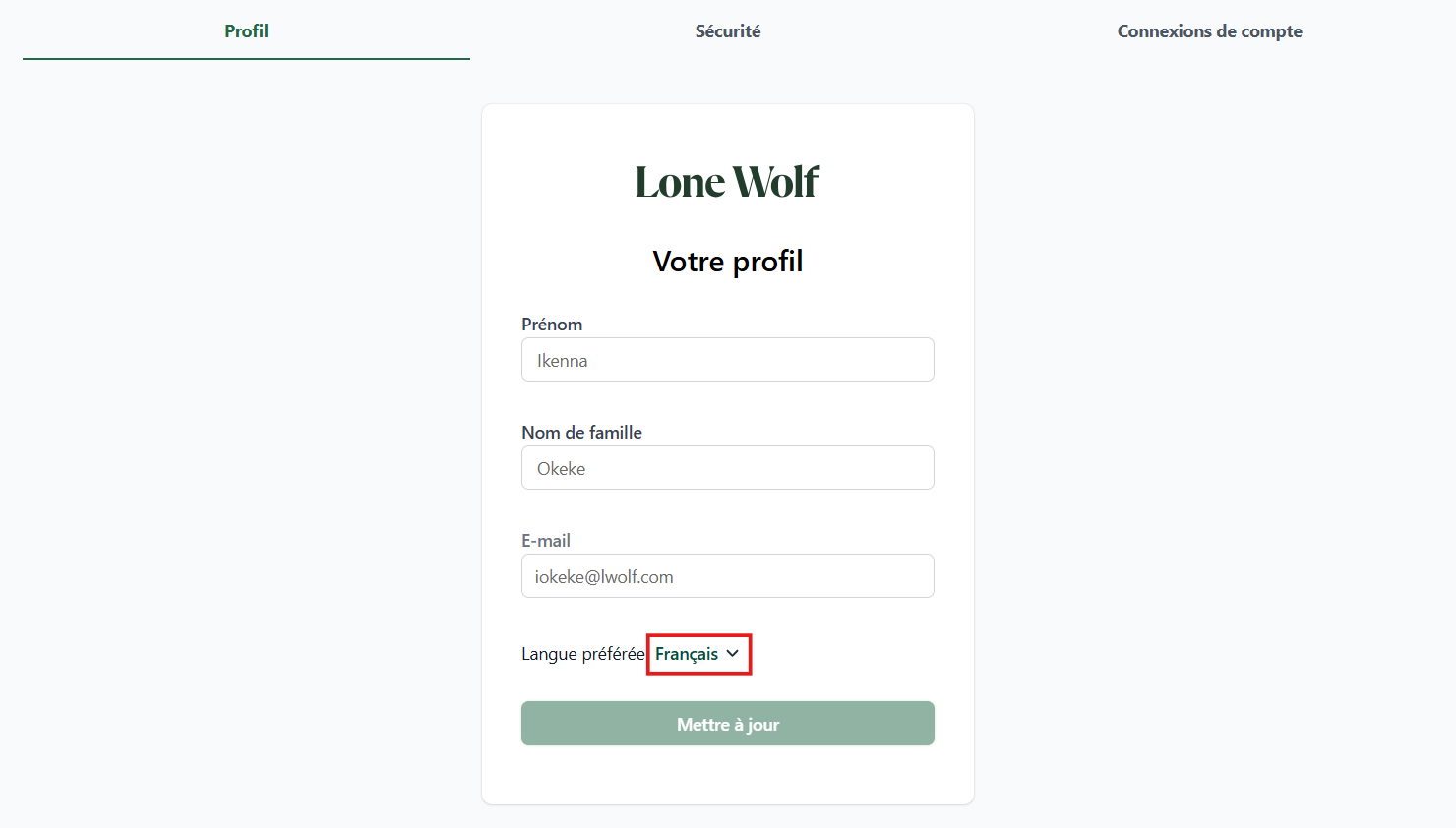
French language support
Foundation Dashboard is now available in French. By updating your preferred language in profile settings, the interface—including navigation, labels, text, and actions—automatically displays in French while preserving your existing data and workflows.
Why It Matters:
French language support creates a more accessible and user-friendly experience for bilingual and French-speaking users, helping teams work more comfortably and efficiently.
Dashboard setup page enhancements
We’ve updated the descriptions on the Foundation Dashboard setup page to provide clearer context around dashboard functionality and MLS metrics.
Why It Matters:
Clearer setup guidance helps users better understand the dashboard experience and reduces confusion between Foundation and other product setup workflows.
See release notes for Foundation
Transact
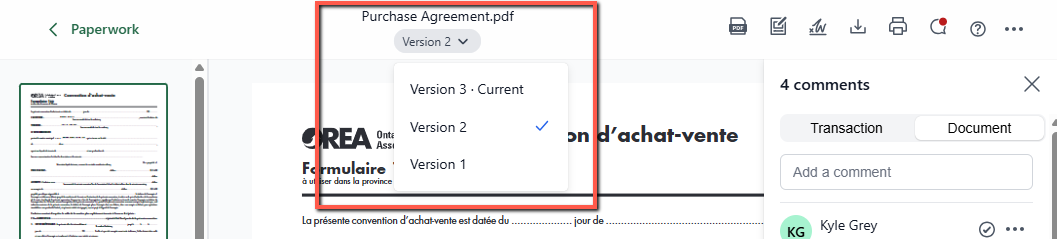
NEW: Document versioning
Transact now supports document versioning, allowing you to keep all versions of a document organized in one place. Users can review document history, restore previous versions, and, for Broker Edition users, see which version was approved or rejected along with related comments.
Why It Matters:
Document versioning improves visibility, strengthens compliance tracking, and makes it easier to manage revisions without losing historical context.
Read more here.
Transaction details enhancements
- The Tax ID field in Import Property Data now supports up to 60 characters.
- LLC/POA fields have been renamed to Preferred Signature (Signing Representation) and now populate the Custom Signature field in Authentisign.
Why It Matters:
These updates improve flexibility for property imports and create a clearer, more intuitive signing experience for users managing transaction details.
NEW: Back Office integration enhancement
The integration between Transact and new Back Office now includes contact synchronization. Transaction parties created, updated, or deleted in either system will automatically sync between applications.
Why It Matters:
Automatic contact syncing reduces duplicate data entry, improves consistency between systems, and helps teams maintain accurate transaction records.
Read more here.
MLS Push enhancements (zipForm Edition or TransactionDesk Edition users only)
MLS Push now remembers your last-used transaction management system (TMS), allowing you to quickly create transactions in your preferred system directly from an MLS listing.
Why It Matters:
Remembering your preferred workflow reduces clicks and helps users move from listing to transaction creation more efficiently.
See release notes for Transact
TransactionDesk
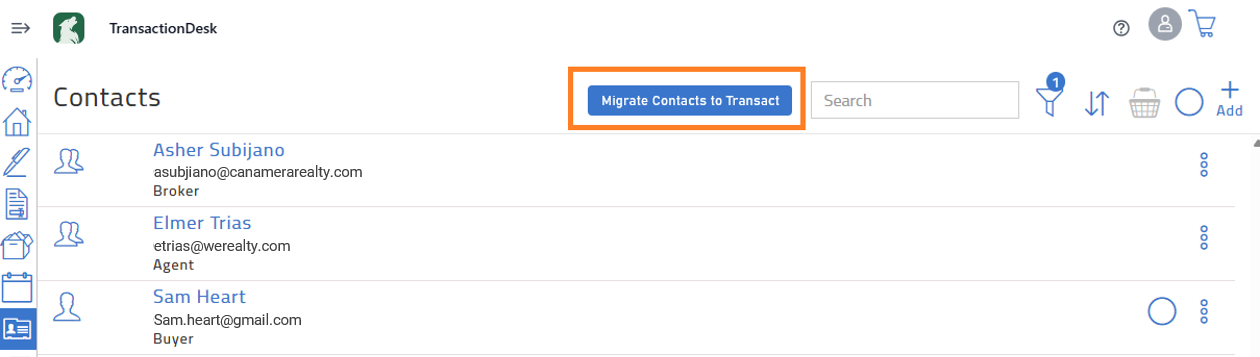
Manual migration of contacts via global migration button or via the basket icon
You can now manually migrate contacts from TransactionDesk Edition to Transact using either the Migrate Contacts to Transact button in the header bar or the basket icon.
Why It Matters:
Manual migration options give users greater control over their transition to Transact and make it easier to move important contact data when needed.
Stay in the loop
We’ll publish Release Notes every month to keep you informed about what’s new and what’s next. Check back for monthly updates, and in the meantime, explore additional how-to guides and knowledge base articles to get the most out of your Lone Wolf tools.
Other resources
See more eBooks, webinars, and blog articles to help you stay ahead with strategies designed for your success.